
Pick and Place with Wrist Camera Example
This tutorial demonstrates how to use AgileBot robot's wrist camera for pick and place tasks with video recording support.
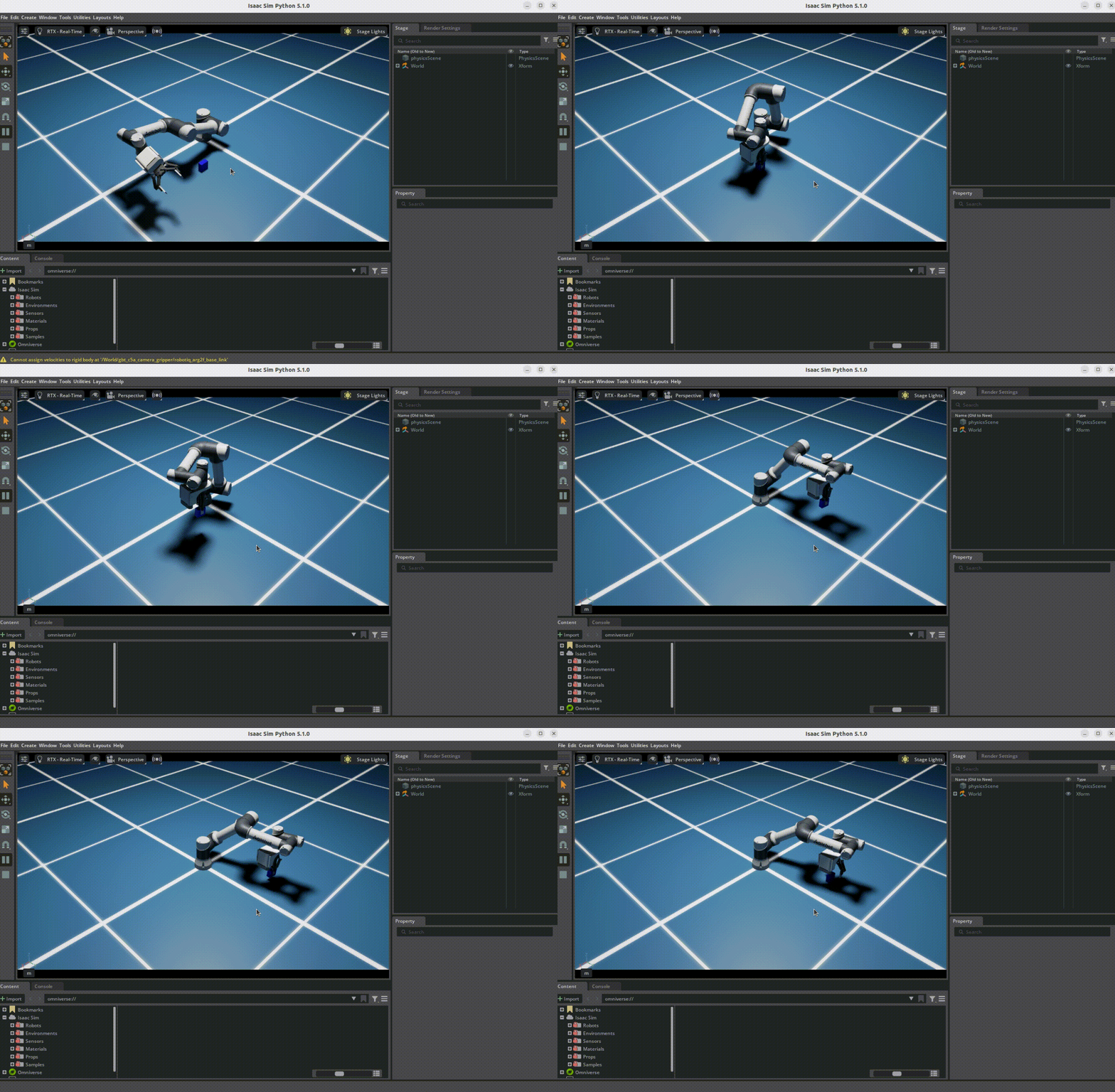
Overview
This is a wrist camera grasping task example provided by Shanghai AgileBot Robotics Co., Ltd., containing complete digital assets of the robot, wrist camera, and gripper, as well as a pick and place task implementation and video recording program.
Features
- Robot Digital Assets: Complete robot model with robotic arm and gripper
- Grasping Test Program: Complete pick and place task implementation based on Isaac Sim
- Video Recording: Supports RGB video recording (30fps) with multi-process implementation for non-blocking performance
Prerequisites
- Completed Isaac Sim Environment Configuration
- Completed Visualizing AgileBot Robot Models
Main Files
| File | Description |
|---|---|
pick_place_example.py | Main program entry point, starts simulation and executes pick and place task |
video_recorder.py | Video recording module with multi-process non-blocking recording |
controllers/pick_place.py | Pick and place controller |
tasks/pick_place.py | Pick and place task definition |
usd/gbt_c5a_camera_gripper/gbt_c5a_camera_gripper.usd | Robot digital asset file (complete model with robot, camera, and gripper) |
Usage
Configuration
Before running the program, make sure to configure the robot resource path correctly in tasks/pick_place.py :
# If the path is different, please modify this absolute path to point to your actual usd folder locationRunning the Program
# Activate environment
conda activate isaaclab

# Run main program
cd agilebot_isaac_sim/example/pick_place_agilebot_camera_gripper
python pick_place_example.py
Program Functions
The program will automatically:
- Start Isaac Sim simulation environment
- Load robotic arm, wrist camera, and gripper
- Execute pick and place task
- Record RGB video to
saved_images/captured_video_rgb.mp4
System Requirements
| Component | Requirement |
|---|---|
| Isaac Sim | - |
| Python | 3.x |
| Dependencies | numpy, opencv-python, open3d |
Video Recorder
The video recorder class provides the following functions:
| Function | Description |
|---|---|
start_recording() | Start recording video |
capture_frame() | Capture a frame |
stop_recording() | Stop recording and save video |
Camera Configuration
Camera Parameters
| Parameter | Description | Default Value |
|---|---|---|
resolution | Video resolution | (224, 224) |
fps | Frame rate | 30 |
camera_position | Camera position | Based on robot configuration |
camera_orientation | Camera orientation | Based on robot configuration |
Output Format
The video recorder supports the following output formats:
| Format | Extension | Description |
|---|---|---|
| MP4 | .mp4 | Most commonly used video format |
FAQ
Q: Pick and place task fails
A: Check if the camera path is correct. Ensure the camera is properly initialized and the target object is within the camera's field of view.
Q: Video quality is poor
A: Check camera resolution settings. Ensure camera parameters in tasks/pick_place.py are correctly configured.
Q: Video file is too large
A: Video is recorded at 30fps. Consider reducing frame rate or using video compression tools.
Q: Program fails to start
A: Make sure to activate the correct conda environment (isaaclab) and install all dependencies:
pip install numpy opencv-python open3dThird-Party Notice
This demo contains a camera mount adapted from MetaIsaacGrasp, licensed under MIT.
Shanghai AgileBot Robotics Co., Ltd. | Website: https://www.sh-agilebot.com/